Help shape it.
Show Sequencer (working name) is pre-release software. Things will change, some will break, and the people testing it decide what gets built next. We take testers in small groups rather than all at once, so that every report gets answered properly.
What We Ask of a Tester
None of this is onerous, and all of it matters. It is the difference between a beta that finds problems in a rehearsal room and one that finds them in front of an audience.
- Put it through a rehearsal before you trust it at a show, every time there is a new build.
- Tell us when something goes wrong, even when it looks small or you are not sure it was the app.
- Send the report from the device while it is fresh, rather than describing it from memory a week later.
- Say what your rig is: the iPad, the interface, anything on MIDI, the screen, the DMX node.
- Expect questions back, and the odd request to try one specific thing and tell us what it did.
- Never risk a real show on unfinished software. If in doubt, run the show the way you already know works.
What You Get Back
Every build as it is made, long before any of it reaches an App Store.
You are talking to the person writing the code, not a support queue in front of him.
Whole screens in the app exist because a tester said the old one did not work at the kit.
Version 1.0 is not finished, and what goes into it is still being decided. Tell us what your show needs and it can be in the first release rather than on a list for later. That window closes when 1.0 ships.
Once You Are In
Install TestFlight from the App Store, accept the invitation on the iPad you gig with, and the build appears there. New builds arrive on their own. Each one carries a short note saying what changed and what we would like tried, so read that first and let it steer you.
What is worth your time
- Rehearse a real set with it before you play one
- Use your own rig: your interface, your screen, your pedals
- Try the thing this build asks about, then try to break it
- Tell us when something is confusing, not only when it is broken
What to send
- Something went wrong on the iPad: send a report from the app
- Anything else: the feedback form on this site
- One thing per report reads better than five in a paragraph
- What you were doing matters more than what you think caused it
When something plays up
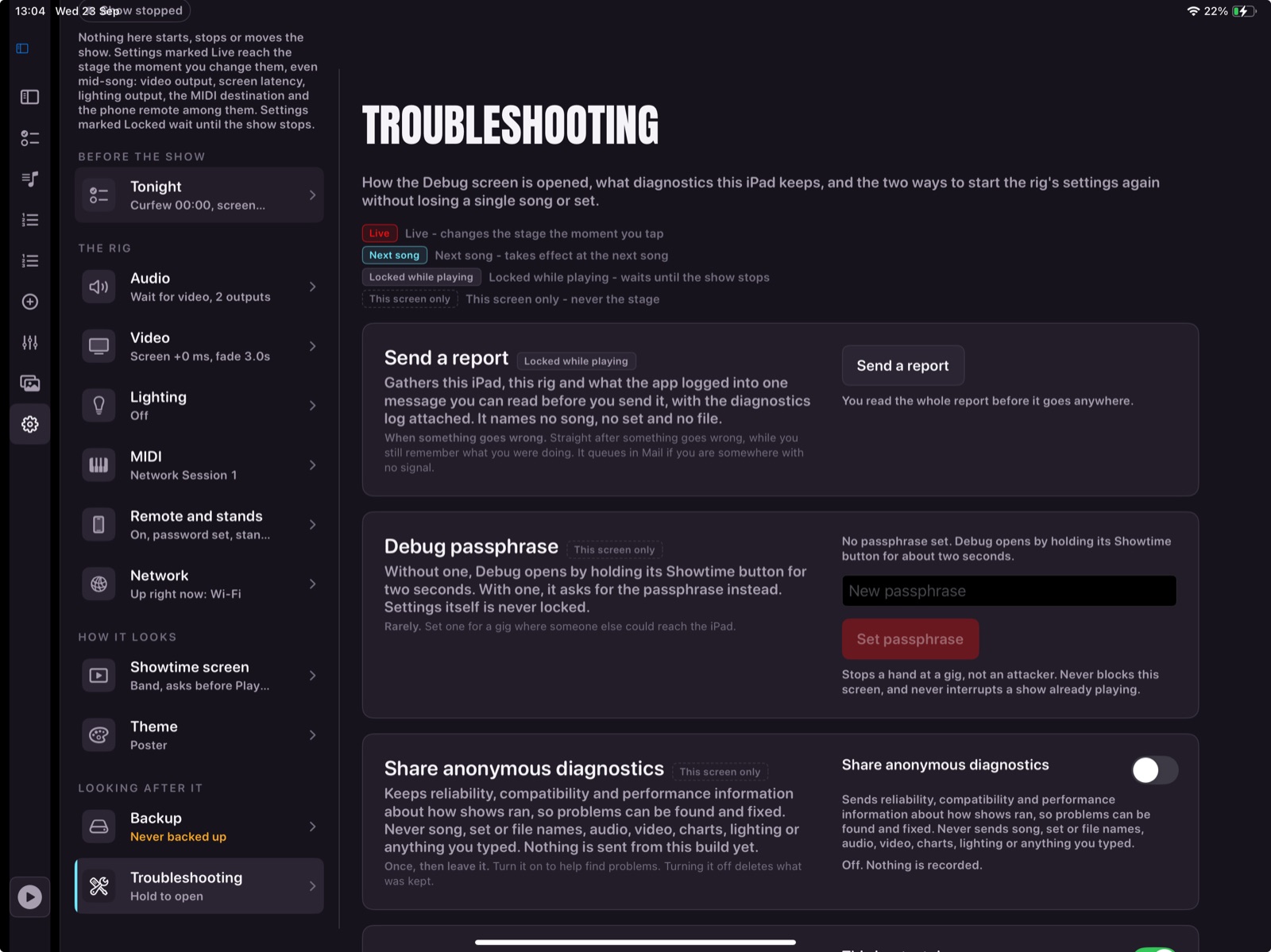
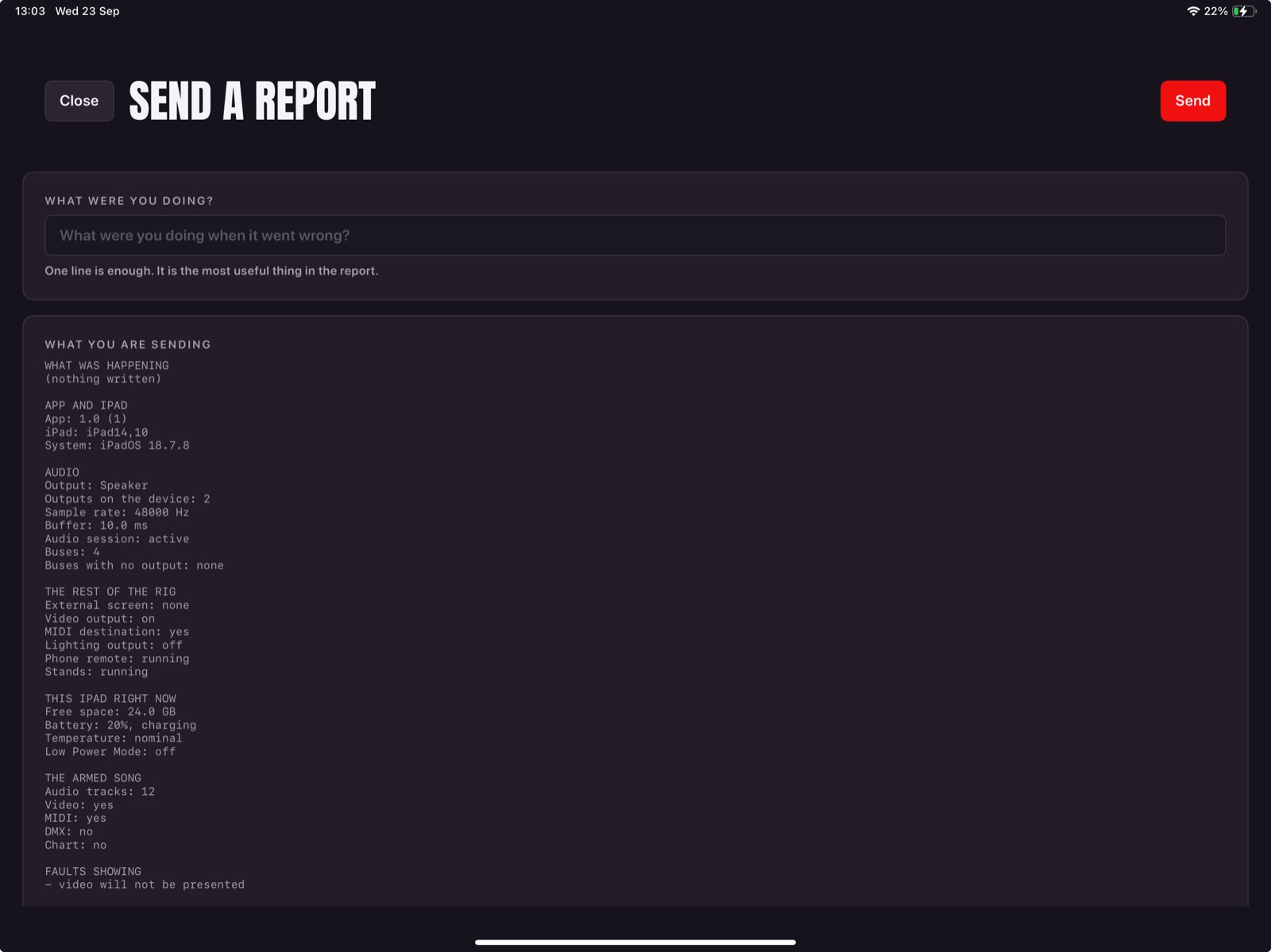
Send a report from the app: Settings, then Troubleshooting, then Send a report. It carries the diagnostics log, which is a record of what the app was actually doing rather than what the screen showed. That difference is not academic. A judder we spent a morning chasing turned out to be something rebuilding itself four times a second in the background, invisible on every screen and plain in the log within seconds of reading it.
The same goes for a performance question rather than a fault. If something feels slower than it should, or a video is not as smooth as you expect, or the app seems busy when it ought to be idle, send a report while it is happening and say what you were watching. A report sent during is worth several sent afterwards.
Do not take a beta build to a show you are being paid for without a tested fallback. That is not modesty about the software, it is what any sensible person does with anything new, and it is the first thing we would say to a friend.
How to Send a Report
The app can send a report itself, with what it was doing at the time already filled in. That is always better than a description written from memory, because it carries the detail nobody remembers to mention.
Anything that is not a report from the device, a feature you want, a screen that made no sense, a piece of gear that would not talk to it, comes through the form on this site instead.