Your show doesn't need a laptop.
Pre-release software, distributed through Apple's TestFlight.
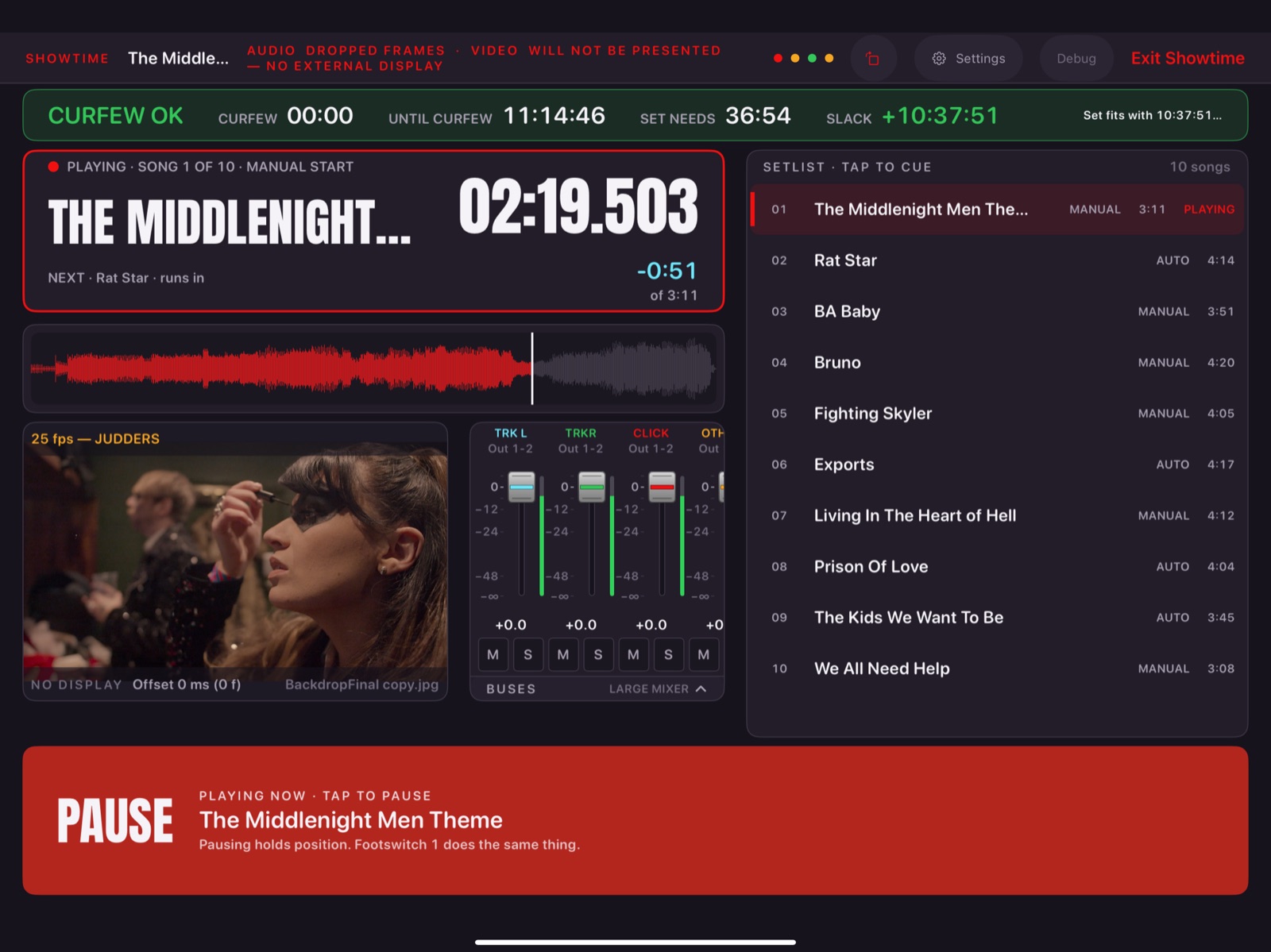
A show is a lot of software.
A lot of shows run on a laptop, a DAW, a playback app, something for video, something for lights and a box of MIDI adapters, all configured to agree with each other. Every piece is another thing to set up, update and check before doors.
It replaces the software stack in the middle, not the hardware at the edges. You still bring your interface, your screens and your DMX node.
Everything follows the audio.
Video frames, MIDI messages and lighting cues are scheduled against the same position as the audio, so they stay where you put them. Line them up once and they play back in the same place every night.
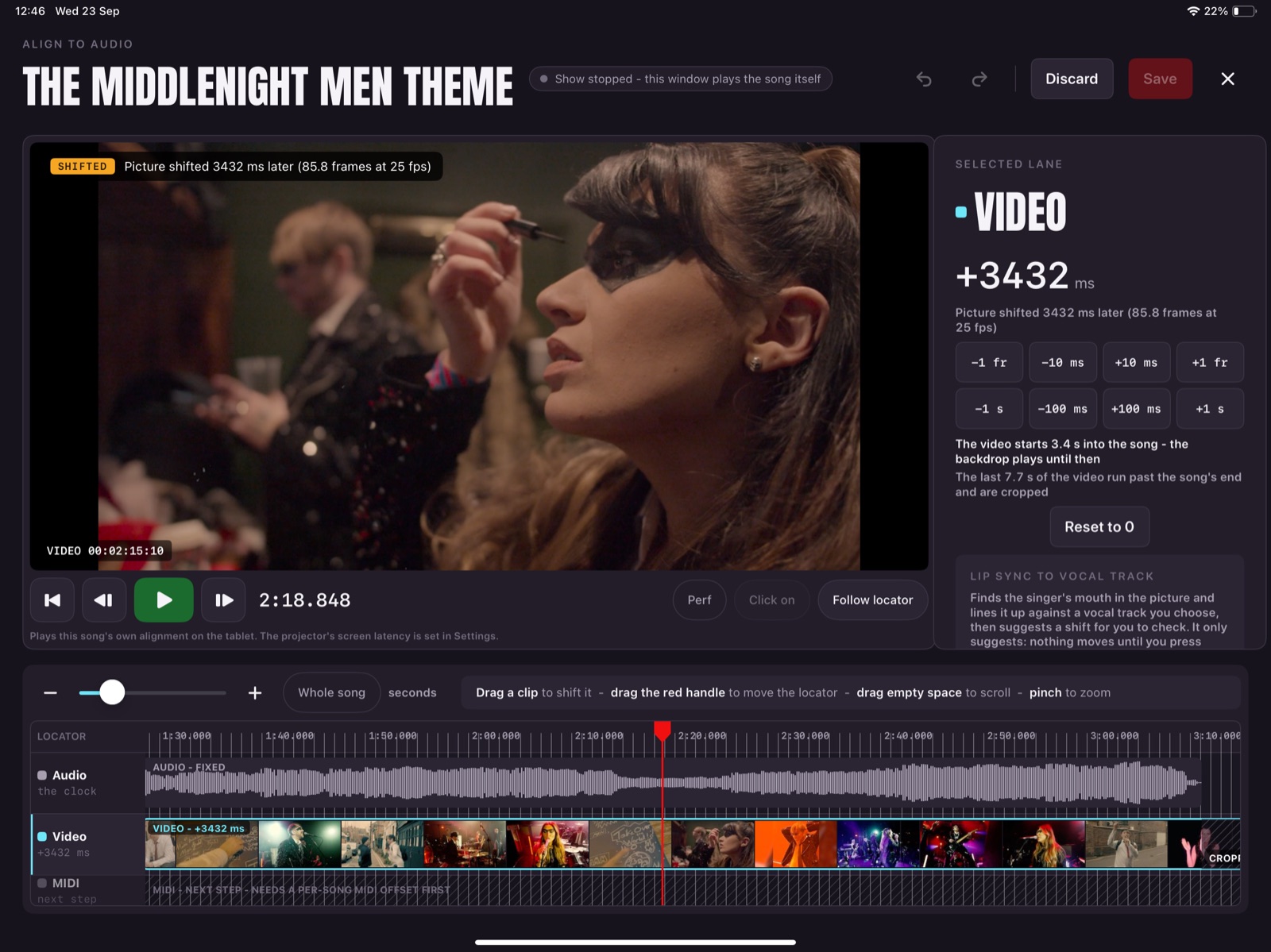
Line it up once.
Every song gets one window where the audio sits still and the video and lights are clips you drag into place against it. Watch the picture against the waveform, nudge by a frame or a millisecond, undo anything, and save when it looks right.
- Audio fixed, everything else moves to meet it
- Frame-accurate nudges, or drag seconds at a time
- Undo, redo and an explicit Save
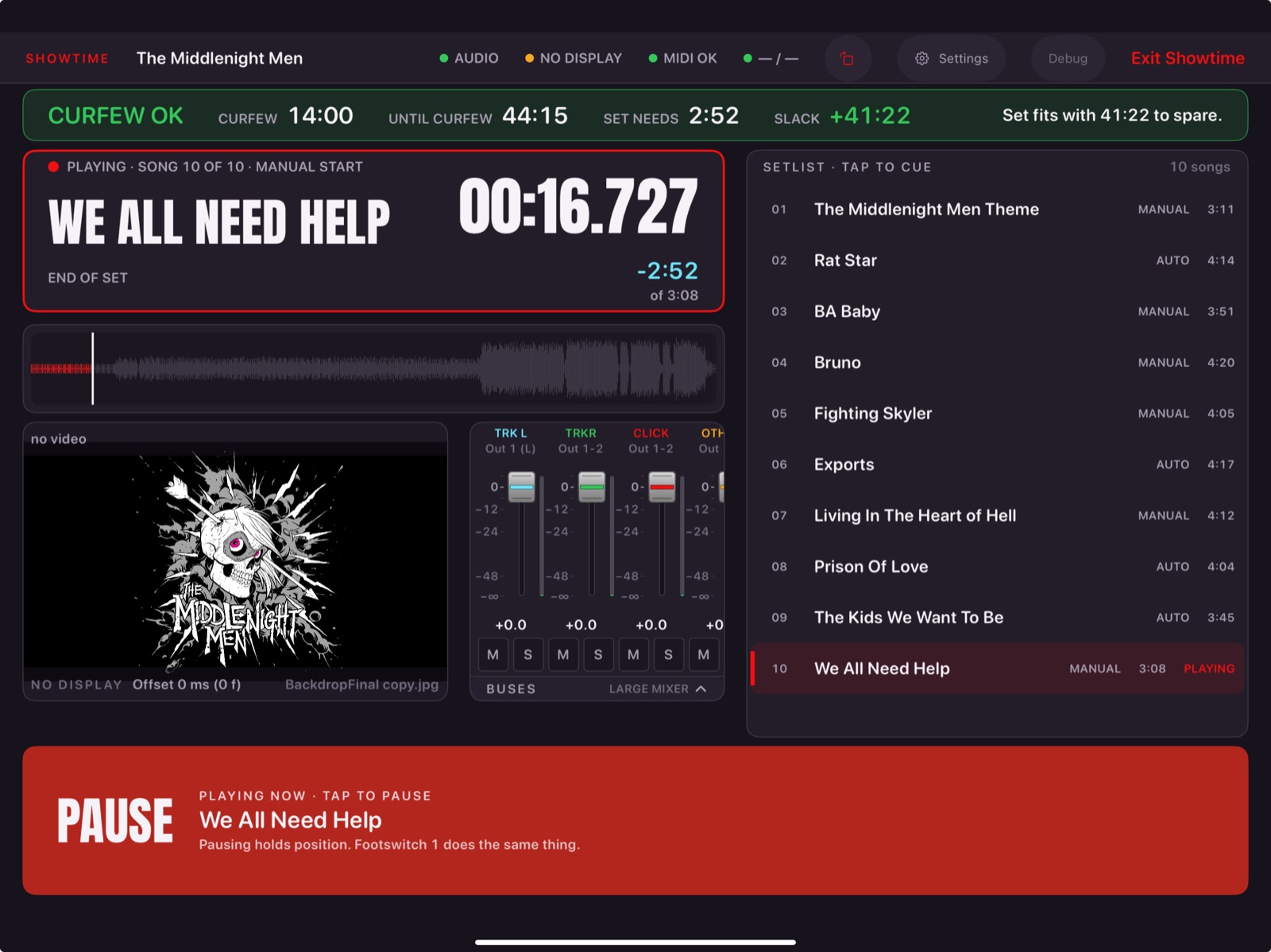
One screen to play from.
Showtime is deliberately simple. The Play bar is big and never moves. You cue the next song first, then play it, so a stray tap does not start the wrong song.
- A Play bar that never moves
- Cue, then play
- Problems on the status bar, in plain words
- Leaving asks whether to keep the show playing
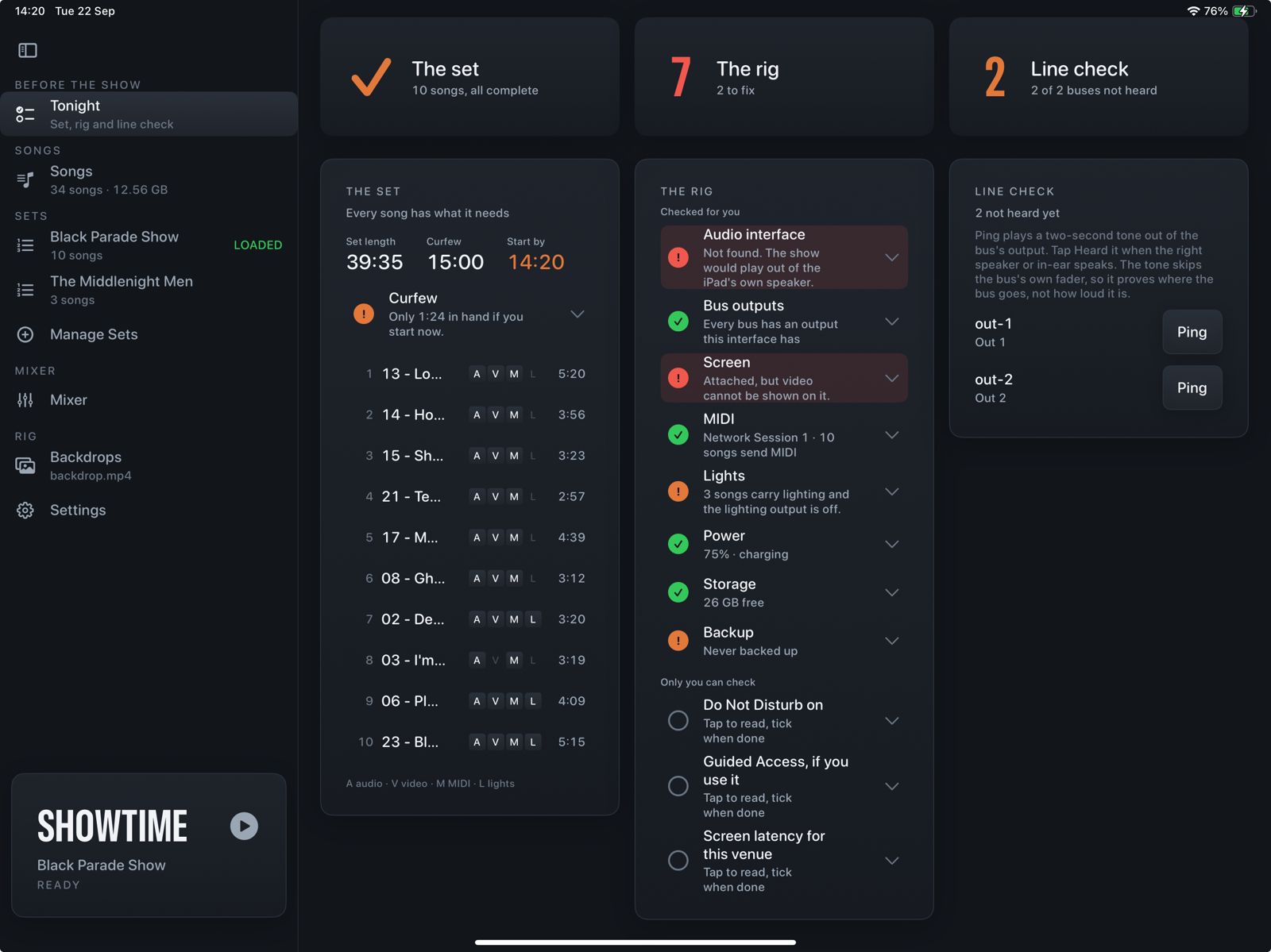
Check the whole show before doors.
The Tonight check looks at the loaded set and the rig: missing songs, the audio interface, where each output goes, the screen, MIDI, lighting, battery, free space and your curfew. Each problem links to where it is fixed.
- A line check for each output
- The latest you can start and still make curfew
- The things only you can check, listed to tick
Everyone on the same page.
Band members follow along on their own phones and tablets, over your local network. No internet needed.
Phone remote
Play, stop and cue from the side of the stage, plus a mixer for your own level.
Stands
Charts and PDF parts on a stand page that follows the show.
Ready board
Band, FOH, monitors and stage each say when they are set, and everyone sees it.
Made by a band that plays out.
Show Sequencer started with a band running tracks, Ableton, video, MIDI and lighting at real shows.
A fly-rig gig on an iPad showed how good a one-device show could be, and how much still had to run beside it. This app is the attempt to put the rest of the show on the same iPad.
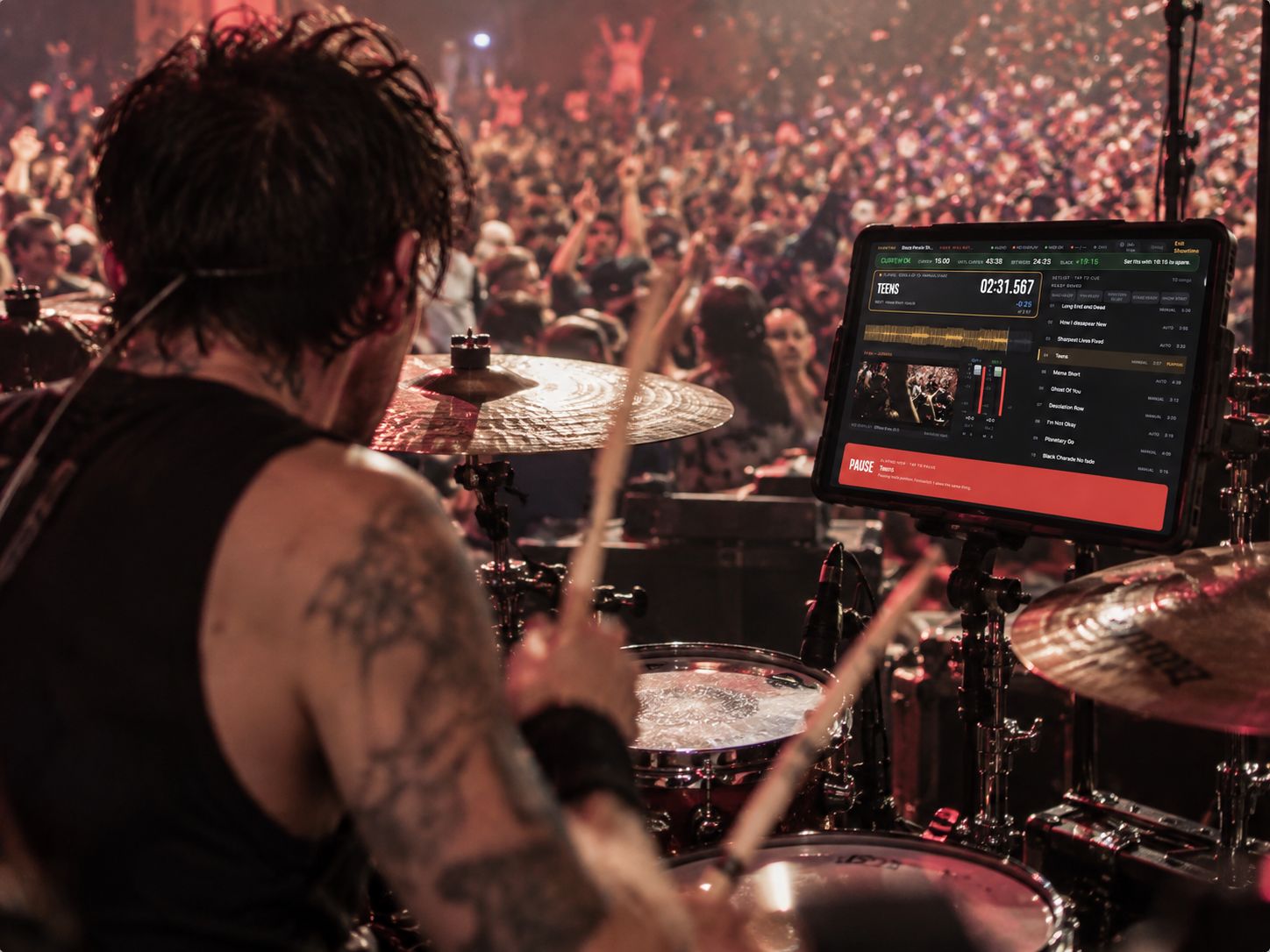
Rehearse with it. Tell us what breaks.
We are looking for people who rehearse and gig. Tell us what your rig looks like today.
Get product updates
The updates list opens soon.